VR Has a Disability Problem — and the Industry Is Running Out of Excuses to Ignore It
Picture this: you've spent $500 on a headset, talked your way through setup, and finally launched the experience everyone's been raving about. Thirty seconds in, you realize the entire tutorial is delivered through unsubstituted audio narration. No captions. No visual cues. No way to adjust the interaction model. If you're Deaf or hard of hearing, you're already locked out of the onboarding — and the experience hasn't even started yet.
This isn't a fringe scenario. According to the CDC, roughly 61 million American adults live with some form of disability. That's one in four people. And yet, when you look at how most VR platforms and indie studios approach accessibility, you'd think that number was closer to zero.
The immersive tech space has spent years chasing photorealism, haptic fidelity, and frame rates. Accessibility? That tends to land somewhere between an afterthought and a feature roadmap item that never ships.
What "Accessible VR" Actually Means
Accessibility in VR isn't a single checkbox. It's a sprawling set of design considerations that differ dramatically depending on the type of disability a user has — and the type of experience being built.
For users who are blind or have low vision, the challenge is obvious but rarely addressed: most VR experiences are built around visual immersion. Spatial audio is one of the most powerful tools available for creating navigable, meaningful experiences for blind users, but it requires deliberate design — not just slapping in ambient sound. Screen readers don't translate to headsets the way they do on smartphones. Text in virtual environments is frequently too small, too low-contrast, or rendered in ways that even assistive tools can't parse.
For Deaf and hard-of-hearing users, the gap is equally glaring. Closed captions in VR remain inconsistent at best. When they exist at all, they're often poorly positioned — floating in space at angles that make them impossible to track during movement. Spatial audio cues that sighted hearing users rely on for gameplay or navigation don't translate. Sign language avatars? Almost nonexistent outside of a handful of experimental projects.
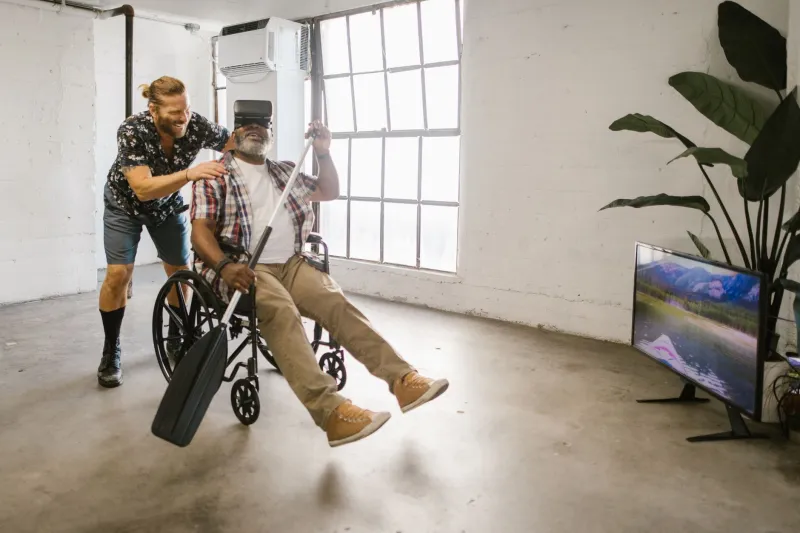
For users with mobility impairments — whether that's limited hand function, paralysis, or chronic pain conditions — the controller-centric model of most VR systems creates immediate barriers. Experiences that demand two-handed input, rapid button sequences, or physical room-scale movement can be completely inaccessible to someone who doesn't fit that mold.
Who's Actually Getting It Right
It would be unfair to say nobody is trying. A few studios have made genuine, meaningful progress — and their work deserves more attention than it gets.
Meta has rolled out a suite of accessibility options in the Quest platform settings, including options for single-controller use, repositionable captions in some apps, and color correction filters. It's a start. But platform-level settings only help if individual developers actually build their experiences to respect and extend those options — and many don't.
On the indie side, studios like Owlchemy Labs (the team behind Job Simulator and Vacation Simulator) have put real effort into seated and one-handed play modes. These aren't marketed as "accessibility features" — they're just baked into the design as options anyone might want. That framing matters, because it removes stigma and widens the audience without making disabled players feel like an edge case.
The game Moss from Polyarc is another example that gets cited frequently in accessibility discussions. Its combination of physical controller input and environmental storytelling gives players multiple ways to engage with the narrative, and the seated-friendly design means users with mobility limitations aren't automatically excluded.
But these examples are the exception. And they shouldn't be.
What Disabled VR Enthusiasts Actually Say They Need
The loudest voices in this conversation aren't developers — they're users. Online communities like the Deaf Gamers Coalition and disability-focused tech forums are full of people who want to use VR, who've tried to use VR, and who've hit walls that didn't need to be there.
The recurring asks aren't exotic. Captions that track with head movement and can be repositioned. Audio descriptions for visual-only storytelling. Controller remapping that goes beyond swapping two buttons. Seated modes that don't strip out content. Haptic feedback used as genuine information delivery, not just rumble for rumble's sake. Toggle options for motion and flashing effects — useful for users with vestibular disorders or photosensitive epilepsy.
What disabled users are describing isn't a wish list that would tank a project's budget. Most of these features, when built into a project from the start rather than retrofitted at the end, add modest development overhead. The real cost is in the mindset shift — accepting that your default user isn't a 25-year-old with perfect health and a gaming PC.
The Developer Roadmap Nobody Handed You
If you're building a VR experience and want to do better, here's where to start.
Design for flexibility from day one. Accessibility features are dramatically cheaper to implement during initial development than after launch. Decide early that your experience will support seated play, single-handed input, and subtitle options — then build around those constraints.
Use the XR Accessibility User Requirements (XAUR) document. Published by the W3C's Immersive Web Working Group, it's a free, detailed resource specifically written for immersive environment developers. It covers visual, auditory, motor, and cognitive accessibility across VR and AR contexts. It should be on every dev team's reading list.
Test with actual disabled users. This sounds obvious, but it's skipped constantly. Organizations like AbleGamers can connect developers with disabled testers who will tell you what's broken faster and more accurately than any internal QA pass.
Don't hide accessibility options. If you've built them, put them somewhere users can actually find them — not buried in a submenu that requires navigating three layers of UI before you've even loaded the experience.
Treat accessibility as a feature, not a disclaimer. Studios that lead with their accessibility options tend to build broader audiences and stronger communities. Visibility matters.
The Bigger Picture
The Americans with Disabilities Act turned 34 years old in 2024. Digital accessibility law is evolving rapidly, and while VR hasn't been the primary focus of enforcement actions yet, that's unlikely to remain true forever as immersive tech becomes more integrated into education, healthcare, and employment.
But honestly, the legal argument shouldn't be the motivating one. The better argument is simpler: immersive technology is supposed to expand what's possible. It's supposed to take people places they couldn't otherwise go, give them experiences that reality denies them, and open up new ways of connecting with content and with each other.
For a Deaf gamer who can't follow audio-only storytelling, for a wheelchair user locked out of room-scale experiences, for a blind user navigating a virtual world with no spatial audio design — the immersive frontier isn't open yet. It has a velvet rope in front of it.
The good news is that the rope isn't load-bearing. Pulling it down doesn't cost the experience anything. It just means more people get in.
That seems like a pretty good deal.