Stop Blaming Your Headset: The Real Reasons VR Hurts and the Free Fixes You're Ignoring
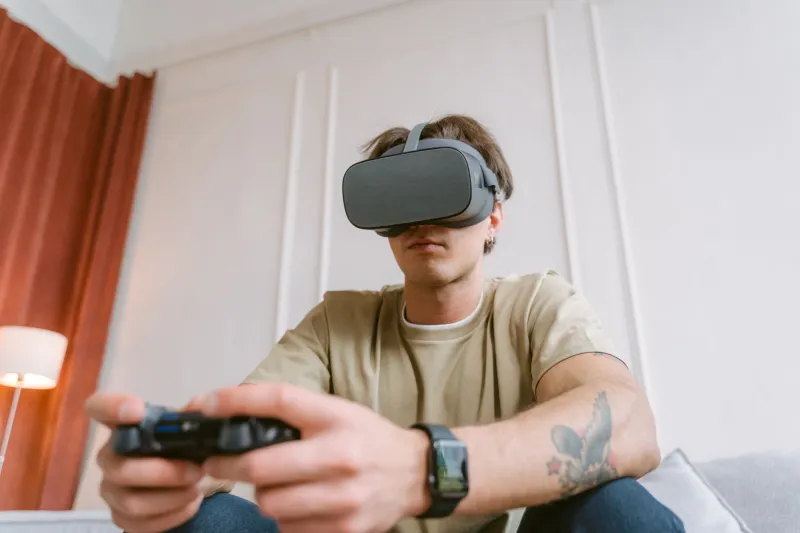
You've been in VR for maybe thirty minutes. Your neck is starting to ache, there's a pressure ring forming around your face like a bad tan line, and your nose is weirdly sweaty. You pull the headset off, drop it on the couch, and tell yourself you'll try again tomorrow.
Sound familiar? You're not alone — and more importantly, you're probably not stuck.
The VR industry has a habit of framing discomfort as a hardware problem, something you solve by upgrading to the next generation of gear. But spend five minutes talking to someone who actually studies how humans interact with head-mounted displays, and you'll hear a very different story. The setup mistakes people make on day one — and keep making indefinitely — are responsible for the vast majority of extended-session pain. And almost none of them require you to spend a dime.
The Weight Is Rarely Where You Think It Is
Here's the thing about front-heavy headsets: your brain adapts to the sensation of weight pulling forward, but your neck muscles don't get a vote in that negotiation. Over time, they fatigue. What feels manageable at the ten-minute mark becomes genuinely uncomfortable by minute forty.
The fix isn't a counterweight accessory (though those exist). It's strap geometry.
Most users cinch the side straps tight and leave the top strap loose, which dumps all that forward mass directly onto the cheekbones and nose bridge. Flip the priority: get the top strap snug first, so the headset's weight transfers upward toward the crown of your head rather than pushing straight into your face. Then adjust the side straps just enough to keep the display stable. You'll probably feel the difference in under a minute.
"The top strap is doing almost all the structural work, but it's the one people treat as optional," says Dr. Renata Voss, an ergonomics consultant who has worked with several XR hardware teams. "It's like wearing a backpack with only the waist clip fastened and wondering why your shoulders hurt."
Face Interface Pressure: It's Not Just About Padding
The foam or silicone piece that sits against your face — the face gasket, interface, or cushion depending on the headset — is doing a lot more than blocking light. It's the primary contact point for all that forward weight we just talked about, and the default version that ships with most headsets is designed to fit a statistical average that may have nothing to do with your actual face.
Before you buy an aftermarket replacement (and there are good ones out there), try two things:
First, check the angle of the headset against your face. Many people wear their display too low, which concentrates pressure on the cheekbones. Tilting the screen slightly upward — just a few degrees — redistributes contact across a broader area of your forehead and reduces that raccoon-mask pressure feeling significantly.
Second, clean the interface. Seriously. Oils, sweat, and product residue build up on foam cushions and change how they compress against your skin. A dried-out or saturated cushion doesn't distribute pressure the way it did when it was new. A quick wipe-down with a slightly damp cloth (not soaked — just damp) can restore a surprising amount of cushion responsiveness.
Lens Distance and IPD: The Settings Most People Never Touch
Interpupillary distance — the measurement between your pupils — varies from person to person, and if your headset's lenses aren't aligned with your eyes, your visual cortex is working overtime to compensate. That's a fast path to eye strain, headaches, and that specific kind of tired that feels different from regular fatigue.
Not every headset offers physical IPD adjustment, but most that do have it set to a middle-of-the-road default that nobody actually checked. Look up your headset's IPD range, measure your own (your optometrist has it on file, or you can estimate with a ruler and a mirror), and dial it in. This is a two-minute fix with genuinely significant payoff.
Along the same lines: lens-to-eye distance matters too. Pushing the display closer to your face increases the field of view but also sharpens the edge distortion that some lenses produce. If you're getting headaches concentrated around your temples, try backing the display slightly away from your eyes before assuming something is wrong with your setup.
The Room Is Part of the Problem
This one gets overlooked constantly. Your environment directly affects how your session feels, and not just because of tripping hazards.
Temperature is a big one. VR is physically warmer than sitting on a couch — you're moving, the display is generating heat against your face, and the face interface is trapping it. A room that feels comfortable at rest can turn into a low-grade sauna situation during an active VR session. Dropping the thermostat a few degrees before you start, or pointing a small fan toward your play area, can meaningfully extend how long you feel good.
Lighting matters too, specifically what's happening around you when you're in the headset. Bright light sources behind or beside you can bleed through the face interface and cause your eyes to constantly adjust between the display and the ambient light intrusion. Dimming the room — or at least removing bright directional lights from your peripheral zone — reduces that visual noise.
"People treat the room as passive," says Marcus Thiel, a UX researcher who has studied VR fatigue in home environments. "But it's actively contributing to how quickly you hit a wall. Warm room, bright ambient light, no airflow — you've basically set a timer on your session before you even put the headset on."
Strap Tension: Tight Isn't Secure
There's a counterintuitive truth buried in VR comfort: overtightening your head straps doesn't make your experience more stable — it makes it more painful and can actually increase motion artifacts as pressure builds against your temples and forehead.
The goal is snug, not clamped. The headset should stay in place during normal head movement without you having to grip it. If you're tightening it until you feel the foam compress against your skull, you've gone too far. Back off until the display feels secure but not squeezed, and you'll likely find that sessions that used to max out at thirty minutes suddenly have a lot more room to breathe.
Build a Pre-Session Routine
The users who consistently report comfortable long sessions have one thing in common: they treat setup like a ritual rather than an afterthought. Before every session, they check strap geometry, wipe down the face interface, verify IPD, and spend sixty seconds adjusting the room. It sounds fussy, but it takes less than three minutes and the payoff compounds across every hour you spend in the headset.
VR is genuinely incredible technology, and it's only getting better. But the gap between a frustrating twenty-minute session and a comfortable ninety-minute one often has nothing to do with the hardware in your hands. It has everything to do with how you set it up — and that part is completely within your control.
Start with the top strap. Everything else follows from there.