Virtual Tours Are Getting Seriously Good — Here's How to Actually Enjoy One
Something brought you here — probably a virtual tour link that you clicked out of curiosity, or maybe someone recommended an immersive experience and you ended up doing a little digging. Either way, you're in the right place.
Virtual tours have quietly become one of the most polished and accessible forms of immersive technology available to everyday Americans. You don't need a $500 headset. You don't need to download anything. You just need a browser and a little bit of curiosity. But getting the most out of a virtual tour — actually feeling like you're somewhere rather than just watching a video — takes a bit of know-how.
This guide will walk you through everything from the basics of how modern virtual tours work to the gear upgrades that can take your experience from "cool" to genuinely jaw-dropping.
What Makes a Modern Virtual Tour Different From Old-School 360 Photos
If your mental image of a "virtual tour" is a grainy, pixelated panorama from a real estate listing circa 2012, you're in for a surprise. The technology has advanced dramatically.
Today's high-end virtual tours are built on platforms that support true spatial navigation, meaning you can move through a space rather than just rotating in place. They incorporate HDR photography or photogrammetry-based 3D models that capture real-world lighting and texture with impressive accuracy. Many include spatial audio — ambient sounds that shift based on where you're looking — and interactive hotspots that surface information, media, or navigation options.
The best virtual tours feel less like looking at a photograph and more like actually being somewhere. That's not an accident. It's the result of significant investment in both capture technology and delivery infrastructure, and it's what separates a genuinely immersive experience from a marketing gimmick.
How to View a Virtual Tour: Your Options, Ranked
One of the great things about modern virtual tours is that they work across a wide range of devices. Here's a quick breakdown of your options, from least to most immersive.
Desktop browser — The baseline experience. You use your mouse to look around, click to move, and scroll to zoom. It works fine and gives you the full interactive experience, but it doesn't deliver much of a sense of presence. Good for quick exploration or when you're doing research.
Smartphone browser — A significant step up. Most modern virtual tour platforms support gyroscope-based navigation on mobile, which means you physically move your phone to look around the virtual space. This sounds gimmicky but is actually surprisingly effective at creating a sense of presence. Just make sure your phone's gyroscope is enabled.
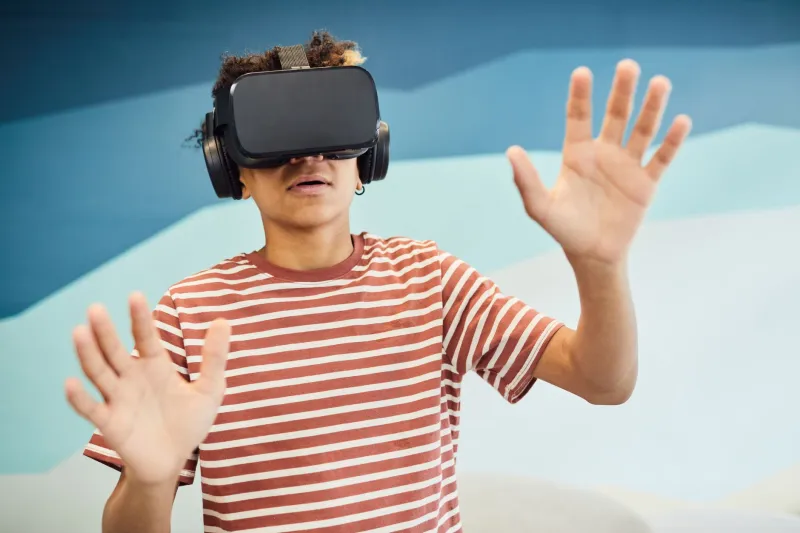
Cardboard-style VR viewer — These inexpensive accessories (you can find them for under $20 on Amazon) split your phone screen into two images and use simple lenses to create a stereoscopic 3D effect. Combined with gyroscope navigation, this delivers a genuinely immersive experience at minimal cost. If you've never tried one, it's worth picking up just to see what the fuss is about.
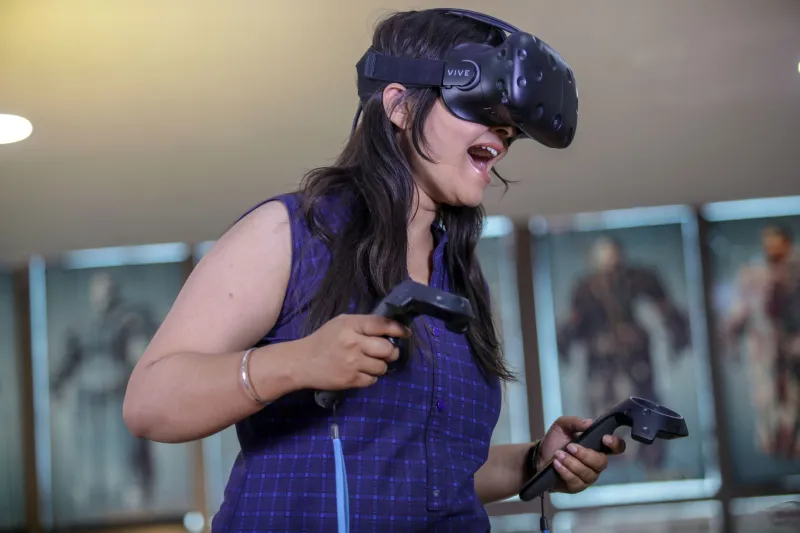
Standalone VR headset (Meta Quest, etc.) — The gold standard. If the virtual tour supports WebXR — and most modern ones do — you can view it directly in your headset's browser for full stereoscopic 3D, head tracking, and in some cases hand or controller interaction. This is the experience the tour was probably designed for, and the difference in presence compared to a flat screen is hard to overstate.
What to Look for in a High-Quality Virtual Tour
Not all virtual tours are created equal, and if you're going to invest time in exploring one, it's worth knowing what separates the good ones from the mediocre.
Resolution and image quality — Blurriness or visible pixelation breaks the illusion immediately. High-quality tours use imagery captured at sufficient resolution to look sharp even when you zoom in or view in a headset.
Smooth navigation — Jerky transitions between viewpoints or laggy movement are a quick way to kill immersion. The best tours use smooth animated transitions and load the next viewpoint before you arrive at it.
Contextual information — Great virtual tours don't just show you a space — they tell you about it. Well-placed hotspots, embedded media, and clear wayfinding make the difference between a passive viewing experience and an engaging exploration.
Mobile optimization — Given that a huge percentage of virtual tour viewers are on smartphones, tours that aren't optimized for mobile are leaving a lot of their potential audience behind. Fast loading times and touch-friendly navigation are non-negotiable.
Audio design — This is the most underappreciated element of virtual tour quality. A tour with well-designed ambient audio feels alive in a way that a silent one simply doesn't. Listen for it.
Practical Tips for Getting the Most Out of Your Visit
Once you're inside a virtual tour, here's how to make the experience as good as it can be.
Take your time. Unlike a video, a virtual tour has no runtime. There's no pressure to keep up with anything. Linger in the spaces that interest you. Look at the details.
Use headphones. If the tour includes audio — and the good ones do — headphones will make a significant difference. Spatial audio is designed to be heard with two ears, and the directionality is part of the experience.
Explore off the main path. Most virtual tours have a suggested navigation flow, but the best ones reward exploration. Click on things that aren't obviously interactive. Look in corners. Check what's behind you.
Switch devices if you can. If you started on a desktop, try reopening the tour on your phone with gyroscope navigation. If you have a VR headset, load it up in the browser. Each device reveals a different dimension of the experience.
Why Virtual Tours Are Worth Your Attention Right Now
Virtual tours occupy a unique position in the immersive technology landscape. They're accessible enough that anyone with a smartphone can experience them, but sophisticated enough to satisfy VR enthusiasts who want something more than a flat-screen experience.
For American consumers, they're showing up in more and more contexts — real estate, travel, retail, education, corporate communications. Getting comfortable with how to navigate and evaluate them is genuinely useful, both as a consumer and as someone who might eventually want to create or commission one.
The tour that brought you here is part of a rapidly growing ecosystem of immersive content that's quietly changing how we experience places, products, and stories. Stick around — this is just getting interesting.