The Weekend Headset Test Drive: A No-Regrets Guide to VR Rentals in the US

Photo: person unboxing VR headset rental kit at home living room, via www.clipartbest.com
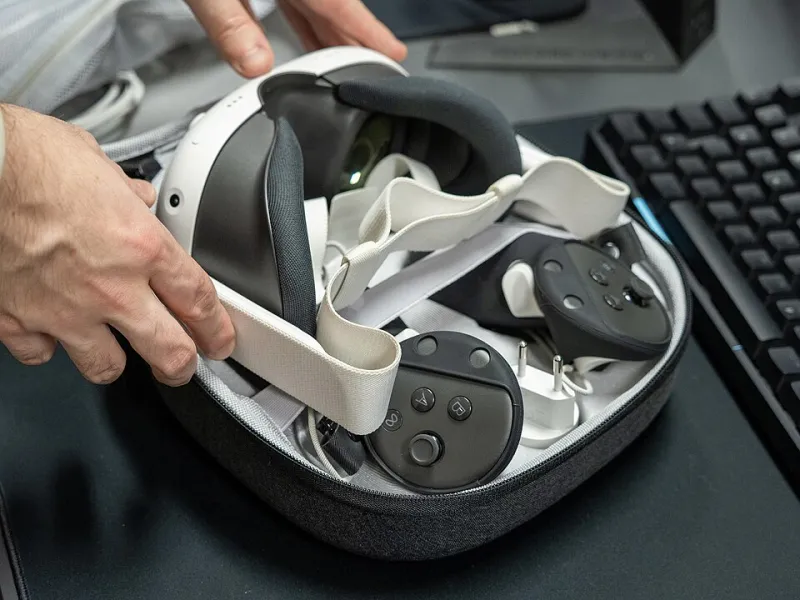
Renting a VR headset for a weekend used to feel like a niche stunt. In 2026, it is closer to renting a carpet cleaner or a camera lens: a practical way to test a $300 to $500 purchase without turning your living room into a graveyard of abandoned hardware. The pitch is simple. Pay for a few days, get a case, a headset, controllers, and maybe a couple of recommended games, then send it back. The reality has more fine print.
How the US rental market actually works
Most consumer rentals are built around standalone headsets, not the heaviest high-end gear. You will see three models: online rental services that ship a kit to your door, local camera and production shops that have added VR to their rental shelves, and occasional library or community programs with short loan windows. Each has a different risk profile. A national rental service usually has a standardized cleaning process and a clear damage policy. A local shop may be more flexible on pickup and return, but less experienced with VR-specific wear items.
The common thread is a deposit. A weekend rental might run $45 to $90 before tax, but the hold on your card can be several hundred dollars. Shipping days often count against the rental window, so a Friday-to-Monday deal can shrink fast if the kit arrives late. Ask whether the battery is charged on arrival, whether games are included, and whether you need your own account or will use a guest profile. If the rental requires your personal Meta or Apple account, ask how they wipe the device when it comes back.
Inspect the kit like a rental car
Do this before you log in or hand the headset to a kid. Check the serial number against the paperwork. Look at both lenses under a lamp for scratches, scuffs, or haze. Put the headset on and look for dead pixels, uneven brightness, or a display that flickers when the strap moves. Test both controllers in a menu and watch for drift, sticky buttons, or a trigger that does not register cleanly.
Check the facial interface for cracks and residue. Flex the strap. Confirm the charger and cable are the ones listed. Photograph everything, including the inside of the case and any existing marks. Test tracking in a well-lit room, then in dimmer light. If the headset arrives with a guest account, make sure you can launch a game without entering payment details. If it arrives factory reset, confirm the setup process works before the weekend disappears.
The fees that turn a cheap weekend expensive
A rental is not just the daily rate. Read the damage policy before you pay. Lens scratches are a common exclusion, and replacing a facial interface or controller can cost more than the rental itself. Watch for cleaning fees, late-return fees, missing-cable charges, restocking fees, and optional damage waivers that quietly double the bill. Some services charge for shipping both ways. Others put a hold on your card that can take a week to clear.
The economics only make sense if you are honest about why you are renting. If you want to know whether VR makes you queasy, or whether your family will actually use a headset after the novelty fades, a weekend is cheap information. If you already know you want one, a used Quest from a seller who lets you test it can cost roughly two to four rental weekends. Rent-to-own arrangements often look convenient and end up costing more than buying outright.
Hygiene is part of the hardware
A shared headset collects sweat, skin oil, and hair. Ask how the rental company cleans the facial interface and whether it replaces the foam or ships a silicone cover. Inspect the interface before use. If you have sensitive skin, asthma, or a compromised immune system, bring your own cover or choose a service that seals the interface. Clean the lenses with a dry microfiber cloth, not a shirt sleeve. Wipe the controllers after use, and keep the headset out of direct sun when it is not on your face.
When renting beats buying used
Rent if you are testing comfort, comparing two headsets, trying one specific game, hosting a family trial, or equipping an event for a few days. Rent if you are unsure about motion sickness or room space. Buy used if you have already spent time in VR, know your fit, and can inspect the battery and lenses in person. Do not rent for a month to avoid a purchase decision; at that point, the fees usually beat the savings.
Return the kit on time, in the original box, with every cable. Keep the tracking number. A rental is a test drive, not a commitment. Treat it like one, and the weekend tells you what a store demo never will: whether the headset fits your life after the guests go home.