Nobody Told You How to Use VR — And That's Why You Keep Quitting
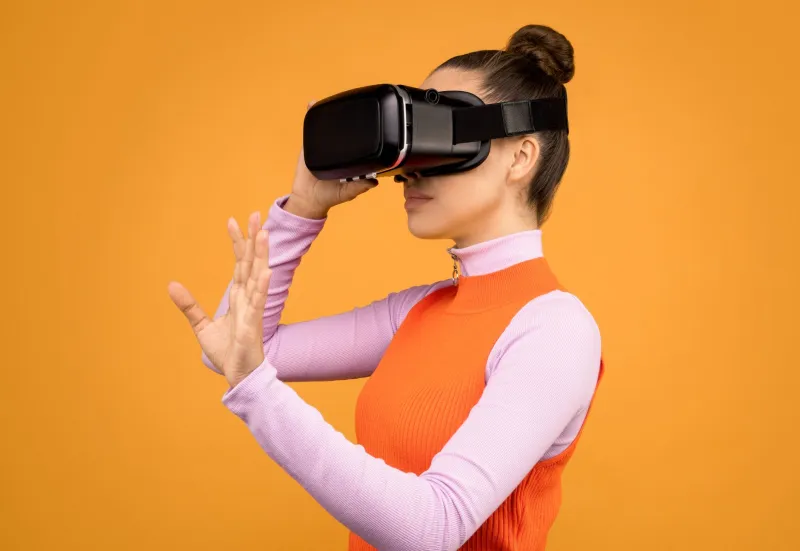
You strap on a headset for the first time, load up some wildly-rated experience, and within about four minutes you're either nauseous, confused, or standing in a virtual room holding a glowing object you have no idea how to use. You assume you're just bad at this. You're not. The experience just handed you a car with no steering wheel instructions and called it a tutorial.
This is the VR skill gap — and almost nobody in the industry wants to admit it's real.
The Invisible Prerequisite Nobody Mentions
Here's the thing about most VR content: it's built by people who've been living inside headsets for years. They move through virtual space instinctively. Teleport locomotion, smooth turning, grip buttons, trigger interactions — these feel as natural to them as using a mouse. So when they build experiences, they skip the basics. Why explain how to pick something up? Everyone knows how to pick something up.
Except in VR, you don't. Not automatically.
Physical intuition doesn't transfer cleanly to virtual environments. Your brain knows how to reach for a coffee mug. It does not automatically know which button corresponds to "grip," how far to extend your virtual arm, or why your controller seems to clip through the object you're trying to grab. These are learned behaviors, and the industry has done a spectacularly poor job of teaching them.
Sarah Mendez, a UX designer who's consulted on onboarding flows for several mid-size VR studios, puts it bluntly: "We test with people who already know the platform. When you bring in a true first-timer, half the things we consider obvious are completely invisible to them. The gap between developer assumption and user reality is enormous."
Three Core Skills VR Assumes You Have
If you've struggled to get comfortable in VR, there's a decent chance you're missing fluency in one of these foundational areas — none of which most experiences bother to explain.
Locomotion literacy. Moving through virtual space is genuinely not intuitive. Teleportation feels unnatural at first. Smooth locomotion triggers motion sickness if you haven't calibrated to it. Knowing which method to use in which context — and how to toggle between them — is a skill that takes real time to develop. Most experiences just dump you into a space and let you figure it out.
Spatial awareness and scale. VR distorts your sense of distance in subtle ways. Objects look closer or farther than they are. Doorways feel narrower. You'll reach for things that are technically out of range and feel baffled when your hand passes through them. Learning to recalibrate your depth perception to the virtual environment takes practice nobody explicitly guides you through.
Interaction mechanics. Every platform — Meta Quest, PlayStation VR2, SteamVR — has its own controller layout. Every experience maps buttons differently. The muscle memory required to reliably pick up, throw, rotate, or activate objects in VR is real, and it doesn't come from one session. Experienced VR users have logged dozens of hours building that instinct. Newcomers get maybe a 90-second intro screen.
Why Developers Keep Skipping This
It's tempting to blame laziness, but the reality is more complicated. VR development is expensive and timelines are brutal. Onboarding flows cost time and money to build properly. There's also a persistent belief — partly driven by marketing — that VR is supposed to be immediately intuitive. Admitting that your experience has a learning curve feels like admitting a flaw.
"There's real pressure to make everything feel effortless," says Marcus Tillman, an interaction designer who's worked on both enterprise and consumer VR projects. "If you ship a tutorial that takes five minutes, someone's going to review-bomb you for it. The incentive structure actively discourages thorough onboarding."
Platform holders share some of the blame too. Apple, Meta, and Sony all offer system-level tutorials, but they're inconsistent, often outdated, and don't account for the wildly different interaction models individual apps use. There's no universal standard for how a grip action should feel or what a "menu" gesture means across experiences. Every app is its own dialect, and users are expected to just pick it up.
What Good Onboarding Actually Looks Like
A handful of studios have figured this out. Beat Saber isn't just a game — its early levels function as a perfect locomotion and timing tutorial without ever announcing themselves as one. Lone Echo embedded spatial navigation training into its story beats so naturally that players never felt like they were in a classroom. These are the exceptions, not the rule.
The approach that consistently works, according to designers who study this stuff, is contextual learning. Don't front-load instructions. Teach mechanics exactly when they're needed, in the moment they're relevant. Show, don't tell — a floating hand demonstrating a grab is worth ten lines of text. And critically, give users permission to fail without penalty early on.
Mendez describes it as "scaffolded confidence." You give players tiny wins that build spatial and mechanical familiarity, so by the time the experience gets complex, they have a foundation to stand on. "Most VR experiences do the opposite," she says. "They throw complexity at you immediately and wonder why retention is terrible."
A Practical Crash Course for Anyone Starting Out
If you're newer to VR and tired of feeling like everyone else got a manual you didn't, here's how to build your fundamentals on your own terms.
Start with dedicated training apps. Titles like First Steps (Meta Quest) or the SteamVR Tutorial exist specifically to build core skills. They're not glamorous, but spending 20 minutes there before diving into anything else will save you hours of frustration.
Spend time just existing in virtual space. Load a calm, low-stakes environment — a virtual living room, a simple gallery, anything without objectives — and just move around. Reach for things. Walk toward walls. Get your sense of scale calibrated before you're also trying to complete a mission.
Learn your controller cold. Before launching any experience, spend five minutes in your headset's home environment just pressing every button and trigger. Know which grip is which. Know where your menu button lives. This sounds tedious, but it's the VR equivalent of learning where your car's turn signal is before you hit the highway.
Give yourself a session limit early on. Twenty to thirty minutes max for your first few weeks. Fatigue and spatial disorientation compound fast in VR, and they make learning harder. Short, frequent sessions build muscle memory better than long, overwhelming ones.
Don't skip the settings. Comfort options like vignetting, reduced field of view during movement, and snap turning exist specifically to help new users build tolerance. There's no shame in using them. Turn them on, build your baseline, and dial them back gradually.
The Bigger Problem Worth Naming
The VR skill gap isn't just a user experience inconvenience — it's quietly strangling the medium's growth. Every person who picks up a headset, feels lost, and puts it back in the box is a potential long-term enthusiast who got bounced before they had a chance to fall in love with the technology.
The industry loves to talk about immersion, presence, and the transformative power of virtual reality. But immersion requires a foundation. You can't feel present in a space you're still trying to figure out how to navigate. Until developers start treating onboarding as a core feature rather than an afterthought, the skill gap will keep doing its quiet damage — one confused first-timer at a time.